

31·
22 days agoI don’t feel like I’m risking anything… I feel like I have an understanding of the attack vectors and I’ve mitigated those to a level that’s acceptable to me.
Risk tolerance is something we all have to judge for ourselves.
I don’t feel like I’m risking anything… I feel like I have an understanding of the attack vectors and I’ve mitigated those to a level that’s acceptable to me.
Risk tolerance is something we all have to judge for ourselves.
I don’t know enough about Apache to say one way or the other, but based on what you described, you SHOULD be able to get rid of the internal proxy. Since both the inner and outer are both NGINX, getting the settings right shouldn’t be a problem.
But, on the other hand, if it works it works!
Not sure what your solution was, but I eliminated the reverse proxy from the official compose stack and configured my existing reverse proxy to point directly at the lemmy containers. It works well for me.
I don’t get this perspective. A reverse proxy pointing at containerized applications gives you plenty of buffer between the scary internet and your personal files. Don’t bind mount your entire host file system to the container, and only open/forward the ports you need.
There are things you have to get right, but there’s no reason to discard the idea altogether.
I find myself commenting three questions on any post about a new application somebody developed.
Personally, I wouldn’t mind if all new app posts were required to answer these questions for their post. It doesn’t discriminate, it just asks them to lay their cards on the table for everyone to see. The community can judge from there.
I’ve got no moral qualms about the way I’m handling things, nor am I judging anybody for the way they handle things. My comment was simply meant to show that not everybody is using Plex for stolen media.
I guess that depends on your definition of “piracy”… is it “breaking the law” or is it “stealing”?
In any case, the point I was making is that some people use Plex with non-stolen media. I mostly see assumptions that it’s only used for stolen media, so I wanted to offer a counter-example.
Not sure if you’re implying that I torrent my media… but just to be clear I don’t torrent.
I won’t make any claims about other users, but I am using Plex for 100% legally obtained media, mostly by means of ripping physical media that I still have on my shelf. So, not everybody is using it for pirated content.
This is not an apples to apples comparison because Nextcloud has security built in… it was designed to be published securely on the internet.
That’s not to say Nextcloud is perfect and without security concerns, but it’s miles ahead of Jellyfin which is Not designed to be published to the web.
Gotcha… Yes, Plexamp does this as well:
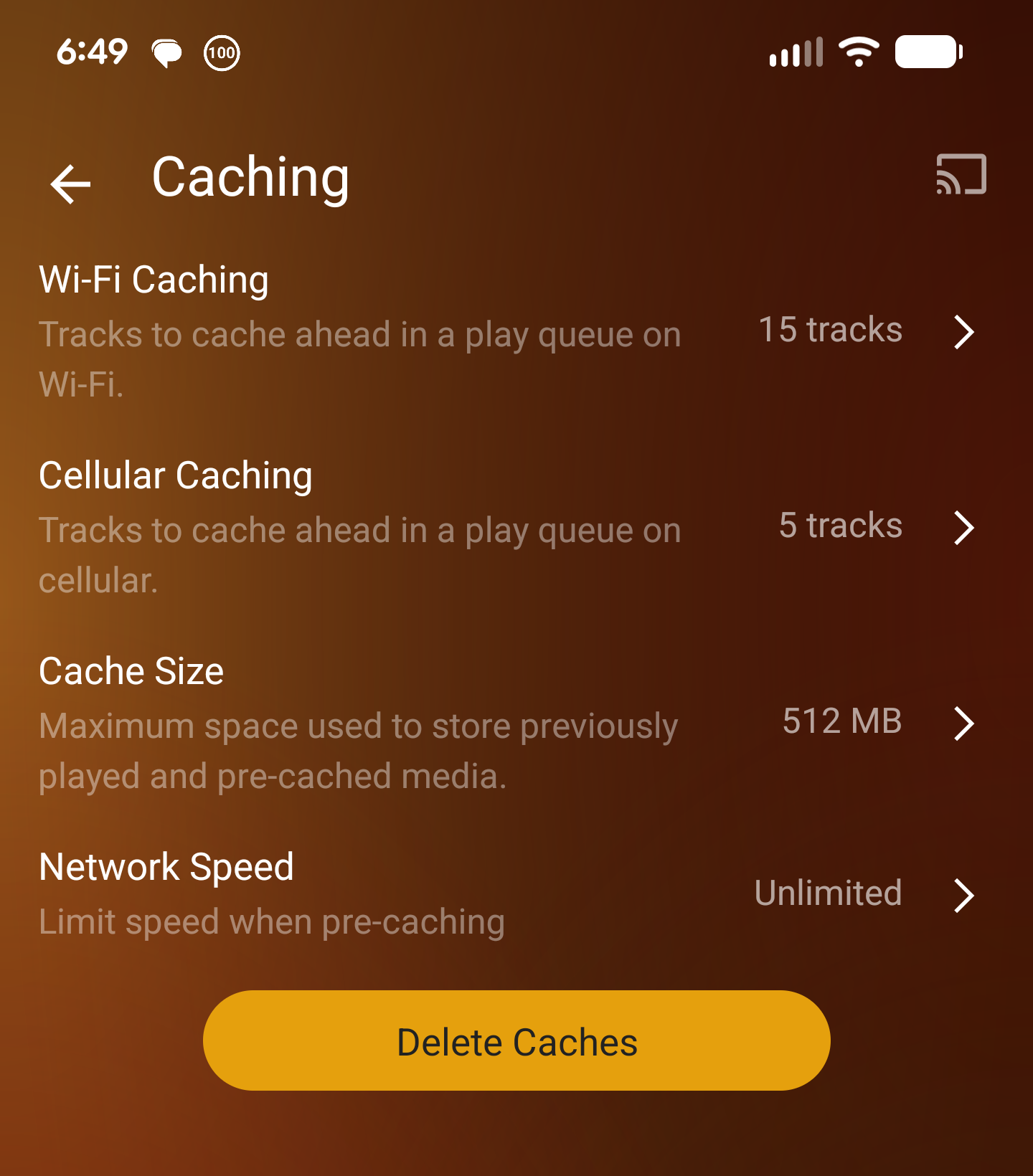
Can you explain rolling cache? I’m pretty sure plexamp does this, but maybe I’m misunderstanding what you’re referring to.
I appreciate you putting it this way. There IS a battle happening to be sure.
Unfortunately, it feels like the battle that’s being fought is between former Plex users and current (continuing) Plex users. It’s frustrating as a continuing Plex user to feel like we are making all of the Jellyfin users angry just by existing. Some of us feel like explaining why our choice is rational, but that is often met with more hostility.
My hope is that we all (as self-hosters) can recognize that we all have different priorities and those priorities will lead to different choices. It’s not wrong to leave Plex for something else. It’s also not wrong to keep using Plex if it suits your needs.
(to be clear, I’m not at all implying that you were being hostile. This is just a general impression I get from several self-hosting communities when it comes to Plex versus other options)
As I dug into this, I found that it is in fact trivial to change the Unraid UI ports. There’s a setting for it. I can only assume that since Unraid attracts a LOT of novices, bad advice gets passed around and taken as gospel. So, I changed Unraid’s ports, set my reverse proxy to listen on 80/443, updated the NAT on my router, and added the relevant host overrides to the DNS Resolver. Hairpin eliminated. Thanks again!
Totally fair… I appreciate you engaging with me, your perspective is appreciated! I won’t defend Unraid’s choice when it comes to the UI ports, but I will simply say that there are things that are really nice about Unraid from a usability standpoint.
Thanks again for your thoughts!
The challenge here is that the host is Unraid, which publishes its own interface on 80/443. My reverse proxy is of course handling all requests for my sites, but that is ALSO running on a container, and must be listening on something other than 80/443 when using host or bridge networking.
So, if I’m following along correctly, I would need to put my reverse proxy on a different host (bare metal or VM) in order for it to listen on 80/443.
I super appreciate where you’re coming from on this. Unless I’m mistaken, NAT port forwarding makes this not quite so clean. If my (internally hosted) site is published on ports other than 80/443, is there any way to route them internally without needing to include the port in the request?
If not, then I either have to include the port in my request when I’m inside the LAN, or I need to set up a macvlan in my docker network to facilitate a LAN IP and standard ports.
Do I have that right?
I have all of my automations for HVAC in a package (https://www.home-assistant.io/docs/configuration/packages/). Maybe it’ll seem more tidy/less cluttered if you do it that way?
I have separate automations for turning on the HVAC and turning off the HVAC. When the “Turn HVAC On” automation gets triggered, one of the actions is to enable the “Turn HVAC Off” automation. One of the actions on “Turn HVAC Off” is to disable itself.
Does that get you what you want?

Welcome fellow instance owner!